
Quick answer: There is no status tracker, no application number and no name search box for a gazette name change. What exists is the published archive on egazette.gov.in, so the method is: choose Search Gazette, set the category to Weekly Gazette, select Part IV, set a date range using the two calendars (which show Saturday dates only, because the gazette publishes weekly on Saturdays), download the PDF for each issue in your window and press Ctrl+F to search your old and new name inside it. Start looking from about week four after the Department received your file, and note that the downloaded PDF needs no further certification.
The waiting period is where this process feels worst, and the internet makes it worse. One widely copied page tells you to enter your "application number" and click Submit to see a status; another says to type your name into a search box on the portal. Neither exists. The Department of Publication does not issue tracking numbers to individual applicants, and the e-Gazette portal is an archive of published issues rather than a case-management system. Once you understand that, the anxiety converts into a simple weekly habit: open the right part of the archive, download that Saturday's issue, and search inside it. This page gives that method exactly as the Department's own guidance sets it out, plus what to do in the weeks before anything appears.
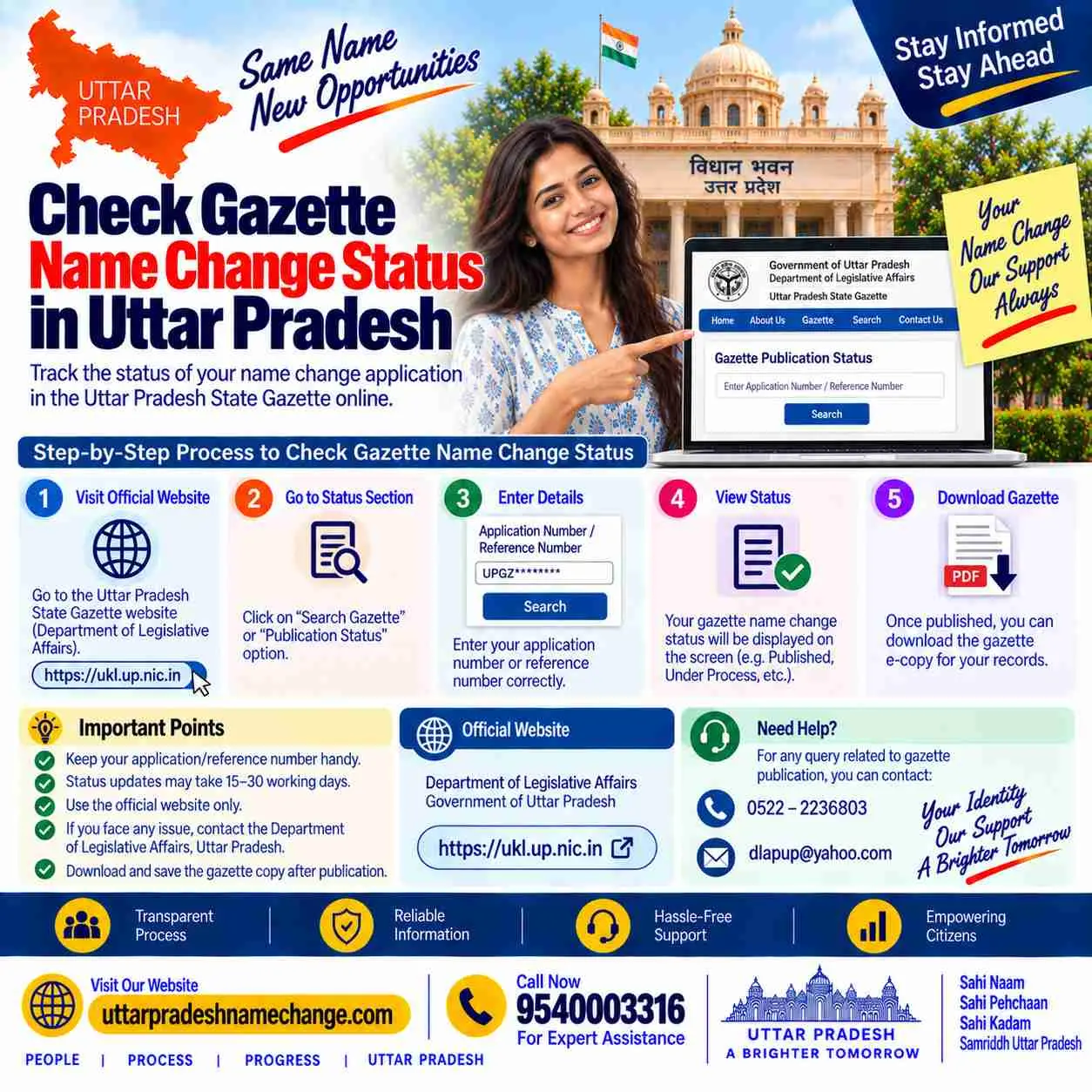
Checking Your Gazette at a Glance
| Status tracker | Does not exist for individual name change applications |
| What you actually check | Whether your notification has appeared in the published archive |
| Portal | egazette.gov.in, no login and no fee |
| Search category | Weekly Gazette, not Extraordinary |
| Part | Part IV, which carries private individuals' notifications |
| Dates | Saturday dates only, because the weekly gazette publishes on Saturdays |
| Finding your entry | Download the issue PDF and use Ctrl+F for your old and new name |
| Certification | None needed: the downloaded PDF is the proof |
Key Takeaways
- No application number is issued and no status page exists, so any site asking you to enter one is describing a system that is not there.
- There is also no name search box on the portal: you narrow by Part and date, download the issue PDF, and search inside the document itself.
- Publication runs weekly on Saturdays, which is why both date calendars offer Saturday dates and why a week-by-week check is the sensible habit.
- Search both your old and new name, because the entry is printed as a sentence containing both, and a small spelling difference is easier to spot that way.
- The PDF you download is the legal proof as it stands; it needs no attestation, no certification and no fee.
Waiting and Searching: Quick Facts
| When to start looking | From about week four after the Department received your file |
| Usual publication window | 25 to 45 days from receipt |
| Your only tracking | The courier or Speed Post receipt, which proves delivery, not processing |
| Contactable | The Department, using the phone number and email on your covering letter |
| Search terms to try | Old name, new name, and a distinctive part such as your surname |
| Issues to check | Every Saturday issue in your window, not just one |
| After finding it | Download the whole issue and keep the original file unedited |
| Three copies, because counters keep one each |
Table of Contents
- Why there is no status tracker
- The seven-step search
- What to do in the waiting weeks
- Not found: six causes and what to do
- The downloaded PDF is the proof
- Central Gazette name change: step by step
- Areas we serve
- Related guides
- Why choose our office
- FAQs
Why There Is No Status Tracker
The Department of Publication publishes a journal. It is not running a citizen services portal with logins and case numbers, and it never issued you a tracking reference when your envelope arrived. That single fact explains three things people find baffling. Nobody can tell you "your file is at stage three", because there are no published stages to be at. There is no acknowledgment email or SMS, so silence is normal rather than ominous. And the moment your notification exists, it exists publicly, in an issue anyone can download, which is why the archive is the only status there is. Two contactable things do exist: your courier tracking, which proves the envelope was delivered, and the Department's own phone and email, which is why our address guide insists your covering letter carries your number.
The Seven-Step Search
Open egazette.gov.in and choose Search Gazette
No login, no registration and no fee. This is the Government of India's own archive of published issues.
Set the search category to Weekly Gazette
Not Extraordinary. Personal name change notifications appear in the ordinary weekly issues, and choosing the wrong category is the commonest reason a search comes up empty.
Select Part IV in the part and section field
Part IV is reserved for notifications by private individuals, which is where your entry sits among many others published the same week.
Set the date range using both calendars
The calendars offer Saturday dates, because the weekly gazette publishes on Saturdays. Choose a window that covers the weeks you expect, rather than a single date.
Download the issue PDF
The results list issues, not people. Download the PDF for each Saturday in your window; they are large files but they open normally.
Press Ctrl+F and search your name
Search the old name and the new name, and if neither hits, try just the surname. This in-document search is the step that replaces the name search box people expect on the website.
Save the whole issue as your copy
Download and keep the complete gazette file. It needs no certification, no attestation and no stamp; the file itself is the proof.
What to Do in the Waiting Weeks
Between dispatch and publication there is genuinely nothing to press, and the useful things to do are small.
- Confirm delivery, once: check your courier or Speed Post tracking until it shows delivered, then stop; delivery is the last event that tracking can tell you about.
- Keep your phone reachable: if the Department needs a clarification, the number on your covering letter is how it reaches you, and a missed call becomes a stalled file.
- Start checking Part IV from about week four: earlier than that is almost always too early, and weekly is often enough.
- Do not send a duplicate file: a second envelope for the same case creates confusion rather than speed, and a second payment along with it.
- Do not pay anyone for "fast tracking": no such service exists at the Department, and anyone selling it is selling the queue you are already in.
Not Found: Six Causes and What to Do
| What happened | What to do |
|---|---|
| It is simply too early | Wait; the ordinary window is 25 to 45 days from receipt, and volumes rise around exam seasons and the financial year end |
| You searched Extraordinary instead of Weekly | Redo the search with the category set to Weekly Gazette |
| You searched the wrong part | Personal notifications are in Part IV; other parts carry government matter |
| Your date window was too narrow | Widen it by a few Saturdays either side and check each issue |
| You scrolled instead of using Ctrl+F | These issues run to many pages; use in-document search, and try the surname alone |
| The name is printed slightly differently | Search the old name too, and any variant spelling; if the printed entry is genuinely wrong, that is a correction question, not a search problem |
If a reasonable window has passed and careful searching finds nothing, the next step is a phone call to the Department using the details on your covering letter, and after that a review of whether the file was complete when it left. Our documents guide lists the eight items and the failure each one prevents, which is usually where the answer is.
The Downloaded PDF Is the Proof
This is the part that surprises people who expect a certificate in the post. Physical printing and sale of gazette copies was discontinued in favour of e-publishing, so nothing is posted to your address and there is no printed original to collect. What you download is the document itself: the government masthead, the issue number and date, the part and section, and your notification printed among the week's entries. It requires no certification, no attestation and no notarisation, and the Department's own guidance says so plainly. Keep the original file unedited and backed up in two places, print three copies for the counters that will keep one each, and note the issue number and date somewhere, because that pair identifies your notification for anyone who asks. Then start the update chain: Aadhaar, PAN, bank, passport and the certificate family, in that order.
Central Gazette Name Change: Step by Step
Our core service: for files we send, this waiting period is our job rather than yours. We check Part IV week by week and email the PDF the day it appears, which is the practical version of a status tracker that the system itself does not provide.
Swear the affidavit
Notarised on stamp paper with the old name, new name, address and reason, Rs 100 to 500 at any notary in your district.
Publish two newspaper advertisements
One Hindi daily of your district and one English paper, complete original pages preserved for the envelope.
Type the proforma and prepare the CD
Two typed copies with two witnesses giving their signature, full name and address, and the CD carrying the same declaration in Word without witness details.
Pay Rs 1,100 on BharatKosh and print the receipt
Before dispatch, because the receipt is an enclosure. The exact portal path is on our payment guide.
Courier to Civil Lines and note the tracking
Delivery confirmation is the last thing tracking will tell you; after that the archive is the only source of news.
Search Part IV weekly from week four
Weekly Gazette, Part IV, Saturday date range, download and Ctrl+F, then save the whole issue as your permanent proof.
Gazette Fees, Time and the File
| Adult gazette fee | Rs 1,100 on BharatKosh |
| Minor, through a guardian | Rs 1,700 |
| Alias line, if wanted | Rs 250 extra |
| Affidavit at the notary | Rs 100 to 500 |
| Newspaper advertisements | A few hundred rupees per paper, edition-dependent |
| Publication window | 25 to 45 days from receipt at the Department |
| Downloading your gazette | Free, and it needs no certification |
The Department's checklist in one line: covering letter with phone and email, affidavit (notarised), newspapers (both, original, whole pages), proforma (typed, two copies, applicant plus two witnesses), CD with signed certificate, photo ID, address proof, photographs, BharatKosh receipt.
Before You Apply: Check These
- Put a reachable phone number and email on the covering letter, because that is the only channel the Department has to reach you during the wait.
- Note the date your courier shows as delivered; your publication window runs from receipt, not from the day you posted.
- Expect silence: there is no acknowledgment, no SMS and no case number, and none of that means anything is wrong.
- Diarise a weekly Part IV check from week four rather than refreshing the portal daily.
After the Gazette: What Updates Next
Save the issue PDF unedited, back it up twice, print three copies and note the issue number and date. Then Aadhaar at the Seva Kendra, PAN online, bank, passport with both newspaper pages in hand, and afterwards the Tehsil certificate family, education records, licence, voter ID and property records. Keep the affidavit and newspapers with the gazette permanently; together they answer every question a counter can ask.
What Other Websites Get Wrong
- Wrong: enter your application number to see the status. Right: no application number is issued and no status page exists.
- Wrong: type your name in the portal's search box. Right: there is no name search; you filter by Part and date, then Ctrl+F inside the downloaded PDF.
- Wrong: select your state to find the notification. Right: the Central Gazette is not filtered by state; Part IV carries notifications from everywhere.
- Wrong: a certified copy must be obtained. Right: the downloaded PDF needs no certification, and nothing is posted to you.
- Wrong: pay for faster processing. Right: there is no expedited route, and any such offer is selling you the ordinary queue.
Areas We Serve in Uttar Pradesh
The archive is national, so a file from Ballia and one from Noida appear in the same Saturday issue, side by side with entries from every other state. We watch Part IV for clients across all 75 districts, most often these:
| Purvanchal and eastern UP | Varanasi, Prayagraj, Gorakhpur, Azamgarh, Jaunpur, Ballia, Deoria, Mirzapur, Basti, Ghazipur, Mau, Sonbhadra |
| Western UP and NCR | Noida, Greater Noida, Ghaziabad, Meerut, Agra, Aligarh, Mathura, Bulandshahr, Muzaffarnagar, Saharanpur, Hapur, Firozabad |
| Rohilkhand and Bundelkhand | Bareilly, Moradabad, Rampur, Shahjahanpur, Budaun, Pilibhit, Bijnor, Amroha, Jhansi, Banda, Mahoba, Chitrakoot |
| Awadh and central UP | Lucknow, Kanpur, Unnao, Raebareli, Sitapur, Hardoi, Barabanki, Lakhimpur Kheri, Sultanpur, Ayodhya, Amethi, Bahraich |
What district does change is the delivery date your window runs from, since eastern districts take a day or two longer to reach Delhi. Our chamber is at Chamber No. 19, Sadar Tehsil, Sector 5, Gomti Nagar Vistar, Lucknow 226010, with the city guide on our Lucknow page. Call 9540003316 or WhatsApp 9540005002 from any district.
Related Guides on This Site
Every guide here is part of one connected map, so whichever counter your case lands at next, the page for it already exists:
- the gazette name change pillar: the full route, rejection causes and download.
- the gazette office address: dispatch, tracking and the covering letter.
- the BharatKosh payment guide: the exact path, codes and receipt rule.
- documents for the gazette file: the eight items and what each prevents.
- the proforma format: the specimen, witnesses and the CD version.
- Central versus State Gazette: the destination-wise decision table.
- Aadhaar name update: the first counter after publication.
- passport name change: where the newspapers are needed again.
- the full cost breakdown: government fees and service fees, line by line.
- name change in Lucknow: local notaries, newspapers and dispatch.
- contact the office: Lucknow office, phone and WhatsApp.
- downloading your gazette copy: free, unattested, and what each counter wants afterwards.
- gazette time and fees: the stage-by-stage clock and honest totals.
- gazette rejection reasons: stoppers, slowers and the ten-minute pre-flight check.
- the Samadhan portal guide: uploads, tracking and status meanings.
Why This Wait Is Easier With Us
The hardest part of this process is a month of silence with nothing to check, and that is exactly the part an office can absorb. Vipin Chauhan, B.Tech LL.B, has spent five years watching Part IV for clients across Uttar Pradesh.
- We check Part IV weekly: every Saturday issue in your window, searched for your names, so you are not downloading large PDFs yourself.
- You get the PDF the day it appears: emailed with the issue number and date noted, ready to print for the counters.
- We tell you honestly when it is only early: no invented stages, no pretend status, and no charge for "following up" on a queue nobody can jump.
- If it truly has not published, we go back to the file: the eight items are re-checked and the cause named rather than guessed.
Associate office at Chamber No. 19, Sadar Tehsil, Gomti Nagar Vistar, Lucknow, serving all 75 districts of Uttar Pradesh, Monday to Saturday, 10 AM to 6:30 PM. Call 9540003316 or WhatsApp 9540005002.
Waiting and Worried?
Uttar Pradesh Name Change
Associate Office: Chamber No. 19, Sadar Tehsil, Sector 5, Gomti Nagar Vistar, Lucknow, Uttar Pradesh 226010
Head Office: Metro Pillar 337, Hardev Nagar, Street 1, Shop No 1 (Shri Sham Documentation)
Call: 9540003316
WhatsApp: 9540005002
Email: info@uttarpradeshnamechange.com
Hours: Mon to Sat, 10 AM to 6:30 PM
Tell us the date your file was delivered and the names on it. We will tell you whether it is simply early, and check Part IV for you until it appears.
Get Call and Name Change Format
Loading the enquiry form...
Gazette Status Check: FAQs
How do I check my gazette name change status?
You check publication rather than status, because no status system exists. On egazette.gov.in choose Search Gazette, set the category to Weekly Gazette, select Part IV, set a Saturday date range, download the issue PDFs and press Ctrl+F to search your old and new name.
What is my application number?
There isn't one. The Department does not issue tracking references for individual name change applications, so pages asking you to enter an application number are describing a system that does not exist.
Why is there no name search box on the portal?
Because the portal is an archive of published issues rather than a database of individuals. You narrow by Part and date to reach the right issue, then search inside the PDF itself.
When should I start looking?
From about week four after the Department received your file. The ordinary window is 25 to 45 days from receipt, and it stretches when volumes are high.
Why are only Saturday dates available in the calendars?
Because the weekly gazette publishes on Saturdays. That is also why a weekly check is enough: a new issue appears once a week, not daily.
Should I search my old name or my new name?
Both, and the surname alone if neither hits. The entry is printed as a sentence carrying both names, so searching either should find it, and trying both catches small spelling differences.
I cannot find it after six weeks. What now?
Widen the date range, confirm you used Weekly Gazette and Part IV, and search inside each issue rather than scrolling. If it is genuinely absent, call the Department using the details from your covering letter, then review whether the file was complete when it left.
Does the downloaded PDF need certification?
No. The Department's own guidance says the downloaded gazette needs no further certification. Keep the file unedited, print copies for the counters, and note the issue number and date.
Will a printed gazette copy be posted to me?
No. Physical printing and sale were discontinued in favour of e-publishing, so nothing arrives by post and the download is the document itself.
Can I pay to have my file processed faster?
No. There is no expedited route at the Department, and anyone offering one is charging you for the ordinary queue you are already in.
Can I send another copy of my file to speed things up?
No, and it usually hurts. A duplicate envelope for the same case creates confusion and, if it carries a second payment, wasted money. Wait out the window instead.
My name is printed slightly wrong in the gazette. What do I do?
That is a correction question rather than a search problem. Contact the Department with the issue number, date and your original file details; the answer will depend on whether the error came from your submitted matter or from the printing.
Official Sources
- The Department of Publication's guidelines for change of name, which set out the search steps: Weekly Gazette, Part IV, Saturday date range, download and Ctrl+F.
- The Department's note that physical printing and sale of gazette copies was discontinued in favour of e-publishing, and that the downloaded copy needs no certification.
- egazette.gov.in, the archive where published issues are searched and downloaded free.
- bharatkosh.gov.in, where the fee was paid before dispatch.
Facts on this page are checked against these sources and our own filing experience. Portal layouts change; the absence of a tracker, the Weekly and Part IV filters and the Ctrl+F method are the stable core.
The Short Version
There is no tracker, no application number and no name search box, so you are checking publication rather than status. On egazette.gov.in: Search Gazette, category Weekly Gazette, Part IV, a Saturday date range covering your window, download each issue PDF and press Ctrl+F for your old name, new name or surname. Start from about week four after delivery, check weekly, and expect silence in between, since no acknowledgment is sent. When you find it, save the whole issue unedited: it needs no certification and nothing is posted to you. WhatsApp your delivery date and names to 9540005002 and we will tell you whether it is simply early, then watch Part IV for you.