
Quick answer: Pay the gazette fee on bharatkosh.gov.in as a non-registered user, before you post your file, because the printed e-receipt has to go inside the envelope. In the purpose search, the entry you need is "Sale of Gazette (PAO Printing, New Delhi)", under function head 005800102000000 SALE OF GAZETTES ETC, with PAO 042709 Pay and Accounts Office (Ptg.) and DDO 242722 Controller of Publications. The adult fee is Rs 1,100; Indians living abroad pay more, and a minor's change is filed by the guardian. Write "Gazette Publication Fees, Change of Name" in the remarks, then print the receipt.
Everything else in this process is paperwork you can see. The BharatKosh step is a set of government dropdowns that were not designed for you, and it is where perfectly organised applicants lose an afternoon. Two specific traps: the ministry option still carries an older departmental label rather than the name you are looking for, and the purpose you need sits several pages into a search result rather than at the top. This page gives the path exactly as the Department's own instructions set it out, the codes to confirm you have landed in the right place, and the receipt discipline that keeps your file moving.
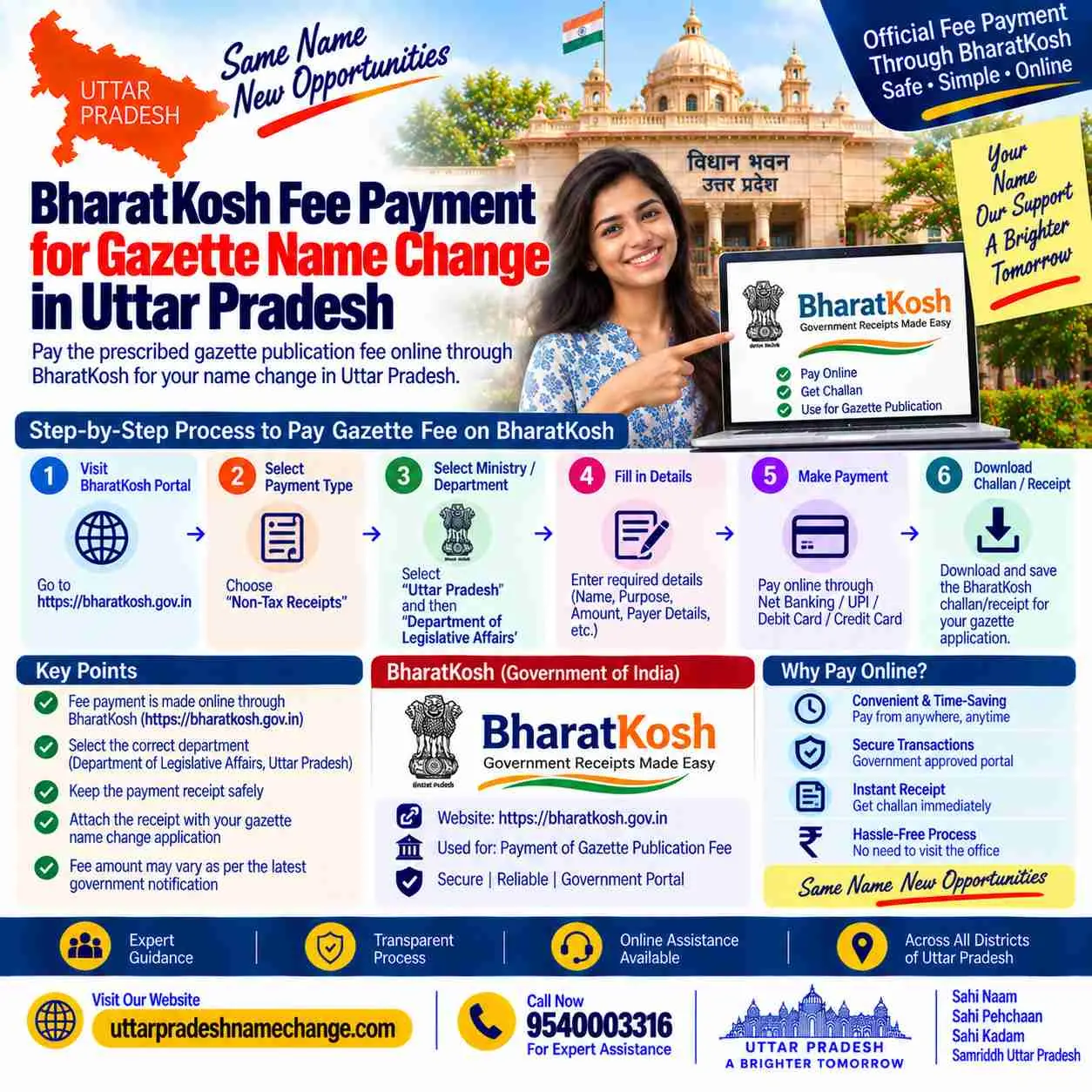
The Payment at a Glance
| Portal | bharatkosh.gov.in, the Non-Tax Receipt Portal (NTRP) |
| Login | Not needed: use the non-registered user route |
| Purpose to select | Sale of Gazette (PAO Printing, New Delhi) |
| Function head | 005800102000000 SALE OF GAZETTES ETC |
| PAO | 042709 Pay and Accounts Office (Ptg.) |
| DDO | 242722 Controller of Publications |
| Adult fee | Rs 1,100 |
| Receipt | Printed and placed inside the file before dispatch |
Key Takeaways
- Pay before you post: the e-receipt is one of the documents inside the envelope, so a file dispatched first and paid for later is an incomplete file.
- You do not need an account; the non-registered user route completes the whole payment in four screens.
- The ministry dropdown carries an older departmental label rather than the current name, which is why searching for "Department of Publication" leaves people stuck.
- Confirm the function head, PAO and DDO codes before paying, because those three lines are what prove the money reached the right office.
- Demand drafts and cheques are not accepted, and the fee is never paid in cash to any agent or shop.
Fees and Receipt: Quick Facts
| Adult name change | Rs 1,100 |
| Minor, filed by guardian | Rs 1,700 in common practice; confirm the amount on the portal |
| Indians living abroad | Higher than the domestic fee; the Department's own guidance states Rs 3,500 |
| Alias published alongside | Rs 250 extra |
| Remarks field | Gazette Publication Fees, Change of Name |
| Payment modes | Net banking, cards and UPI; no demand draft, no cheque, no cash |
| Receipt | Download and print; keep a digital copy too |
| If the file is rejected | A fresh application means a fresh payment, so accuracy is cheaper than speed |
Table of Contents
- Why payment comes before posting
- The exact path on BharatKosh
- The three codes that confirm you are right
- Fees, and why quoted figures differ
- The receipt, and what to do with it
- If the payment goes to the wrong head
- Central Gazette name change: step by step
- Areas we serve
- Related guides
- Why choose our office
- FAQs
Why Payment Comes Before Posting
This sounds obvious once stated and it is the single commonest sequencing mistake we see. The printed BharatKosh receipt is one of the enclosures listed in your covering letter, sitting alongside the affidavit, the newspapers, the proforma and the CD. A file that arrives without it is incomplete, and an incomplete file does not wait politely for a payment to catch up. So the order is: advertisements published, proforma and CD prepared, fee paid and receipt printed, then the envelope sealed and couriered. Our documents guide lists the full envelope, and the dispatch guide covers what happens after.
The Exact Path on BharatKosh
Open bharatkosh.gov.in
This is the Non-Tax Receipt Portal, the government's own payment gateway for charges like this one. No agent portal, no third-party site, and nothing that asks you to pay a "service charge" on top.
Choose the non-registered user route
You do not need an account. The flow then runs through four stages: payment purpose, depositor's details, confirm information, and pay.
Select the ministry option
The dropdown carries an older departmental label, Urban Development and Urban Poverty Alleviation, rather than the current ministry name. This is exactly where people give up after searching for "Department of Publication" and finding nothing.
Search the purpose and go past page one
Use the search icon in the purpose field. Results are paginated, and the entry you want, Sale of Gazette (PAO Printing, New Delhi), sits on a later page of results rather than the first. Do not settle for something that merely looks similar.
Confirm the function head, PAO and DDO
Function head 005800102000000 SALE OF GAZETTES ETC, PAO 042709 Pay and Accounts Office (Ptg.), DDO 242722 Controller of Publications. If any of those three differ, stop and re-select.
Enter the amount, remarks and your details, then pay
Amount as applicable to your case, remarks reading "Gazette Publication Fees, Change of Name", depositor details matching the name on your file, and then net banking, card or UPI. Download and print the receipt immediately.
The Three Codes That Confirm You Are Right
Screens change, labels get reworded, and search results shuffle, but these codes are the anchor. Match all three, function head, PAO and DDO, before you press pay, and the money is landing with the office that will process your file. This is also the answer to a question we get weekly: how do you know the payment reached the right department? Because those lines appear on the receipt you print, and the Department reads them.
Fees, and Why Quoted Figures Differ
The adult fee of Rs 1,100 is the one figure every source agrees on, and it comes from the Department's own guidance. Beyond that, published figures diverge: minors are commonly filed at Rs 1,700, some sites quote quite different amounts, and for Indians living abroad the Department's guidance states Rs 3,500 while various services quote considerably more. Rather than adding another number to the confusion, the honest instruction is this: the head is what you must get right, and the portal shows you the amount at the moment of payment. Confirm the current figure there, pay it, and keep the receipt. What you should never do is accept an inflated "government fee" from an intermediary; any office quoting several thousand rupees as the Department's charge is describing its own margin. Our cost pillar separates every line for the whole journey.
The Receipt, and What to Do With It
- Print it immediately: the transaction receipt is generated once; print a copy for the file and keep a second at home.
- Save the PDF and the transaction reference: a digital copy costs nothing and answers any later question about whether payment was made.
- Check the name on it: depositor details should match the applicant on the file, not a relative who happened to have the bank app open.
- Place it in the envelope: it is an enclosure, listed in your covering letter alongside the affidavit, newspapers, proforma and CD.
- Do not pay anyone else in cash: the fee goes to the government through the portal, in your own name, with your own receipt.
If the Payment Goes to the Wrong Head
It happens, usually because someone selected the first plausible purpose on page one of the search. Two honest points. First, government refunds for misdirected non-tax receipts are slow, involving correspondence with the accounting office, and they are almost never faster than simply paying again correctly. Second, and more usefully: a wrong-head payment does not fix itself by explanation, so a file sent with such a receipt is at risk of rejection, and a rejected application means starting the file again with a fresh payment. The practical response is the boring one. Before pressing pay, read the function head, PAO and DDO on the confirmation screen against the block above. Thirty seconds there is worth more than any recovery process afterwards.
Central Gazette Name Change: Step by Step
Our core service: walking clients through these screens, or making the payment alongside them, is part of what our Complete package covers, because a wrong selection here is expensive in weeks rather than rupees. Here is where the payment sits in the wider route.
Swear the affidavit
Notarised on stamp paper with the old name, new name, address and reason, Rs 100 to 500 at any notary in your district.
Publish two newspaper advertisements
One Hindi daily of your district and one English paper, complete original pages kept for the envelope.
Type the proforma and prepare the CD
Two typed copies with two witnesses, and the CD carrying the same declaration in Word without witness details, plus its signed certificate.
Pay on BharatKosh and print the receipt
The path above: non-registered user, the older ministry label, Sale of Gazette on a later results page, the three codes confirmed, remarks written, receipt printed.
Courier the complete file to Civil Lines
Covering letter to the Controller of Publication with your phone and email, all enclosures listed, tracked dispatch from any UP district.
Download from Part IV and update
Publication in 25 to 45 days, free from egazette.gov.in, then Aadhaar, PAN, bank, passport and the certificate family.
Gazette Fees, Time and the File
| Adult gazette fee | Rs 1,100 on BharatKosh |
| Minor, through a guardian | Rs 1,700 in common practice; confirm on the portal |
| Indians living abroad | Higher; Department guidance states Rs 3,500 |
| Alias line, if wanted | Rs 250 extra |
| Affidavit at the notary | Rs 100 to 500 |
| Newspaper advertisements | A few hundred rupees per paper, edition-dependent |
| Publication time | 25 to 45 days after the Department receives the file |
The Department's checklist in one line: covering letter, affidavit (notarised), newspapers (both, original, whole pages), proforma (typed, two copies, applicant plus two witnesses), CD with signed certificate, photo ID, address proof, photographs, BharatKosh receipt.
Before You Apply: Check These
- Pay before sealing the envelope, because the printed receipt is an enclosure rather than an afterthought.
- Read the function head, PAO and DDO on the confirmation screen and match all three against the block on this page.
- Enter depositor details in the applicant's own name, and write the remarks line so the payment is identifiable later.
- Print the receipt and save the PDF, then check that the amount matches what the portal showed for your case.
After the Gazette: What Updates Next
Keep the receipt permanently with the notification, the affidavit and both newspaper pages; together they are the story of your name change and more than one counter will want to see part of it. Then run the usual order: Aadhaar at the Seva Kendra, PAN online, bank, passport, and afterwards the Tehsil certificate family, education records, licence, voter ID and property records.
What Other Websites Get Wrong
- Wrong: search for "Department of Publication" in the ministry dropdown. Right: the option carries an older departmental label, which is why the search comes up empty.
- Wrong: pick the first purpose that mentions gazette. Right: the correct entry sits on a later results page, and the function head, PAO and DDO confirm it.
- Wrong: pay by demand draft to the Controller of Publications. Right: drafts and cheques are not accepted; the portal is the route.
- Wrong: post the file now and pay later. Right: the receipt is an enclosure, so payment comes first.
- Wrong: a "government fee" of several thousand rupees. Right: the adult charge is Rs 1,100 and anything above it on a quotation is somebody's service fee.
Areas We Serve in Uttar Pradesh
The payment screens are the same wherever you sit, which makes this the one step where a phone call solves everything regardless of distance. We guide clients through it across all 75 districts, most often these:
| Western UP and NCR | Noida, Greater Noida, Ghaziabad, Meerut, Agra, Aligarh, Mathura, Bulandshahr, Muzaffarnagar, Saharanpur, Hapur, Firozabad |
| Rohilkhand and Bundelkhand | Bareilly, Moradabad, Rampur, Shahjahanpur, Budaun, Pilibhit, Bijnor, Amroha, Jhansi, Banda, Mahoba, Chitrakoot |
| Awadh and central UP | Lucknow, Kanpur, Unnao, Raebareli, Sitapur, Hardoi, Barabanki, Lakhimpur Kheri, Sultanpur, Ayodhya, Amethi, Bahraich |
| Purvanchal and eastern UP | Varanasi, Prayagraj, Gorakhpur, Azamgarh, Jaunpur, Ballia, Deoria, Mirzapur, Basti, Ghazipur, Mau, Sonbhadra |
A screenshot on WhatsApp is usually enough to unstick a payment in two minutes. Our chamber is at Chamber No. 19, Sadar Tehsil, Sector 5, Gomti Nagar Vistar, Lucknow 226010, with the city guide on our Lucknow page. Call 9540003316 or WhatsApp 9540005002 from any district.
Related Guides on This Site
Every guide here is part of one connected map, so whichever counter your case lands at next, the page for it already exists:
- documents for the gazette file: the eight items, receipt included.
- the proforma format: the specimen, witness block and CD version.
- the gazette office address: where the paid-up file goes.
- the full cost breakdown: government fees and service fees, line by line.
- the gazette name change pillar: the full route, rejection causes and tracking.
- Central versus State Gazette: the destination-wise decision table.
- the UP State Gazette process: where its charges are set instead.
- the affidavit guide: the first document in the chain.
- minor name change guide: the guardian-filed version and its fee.
- name change in Lucknow: local notaries, newspapers and dispatch.
- contact the office: Lucknow office, phone and WhatsApp.
- checking your gazette status: why no tracker exists, and the seven-step Part IV search that replaces it.
- downloading your gazette copy: free, unattested and permanent.
- gazette time and fees: the stage-by-stage clock and honest totals.
- gazette rejection reasons: stoppers, slowers and the ten-minute pre-flight check.
Why People Call Us at This Screen
More calls reach this office from the BharatKosh page than from any other step, usually with the same sentence: the department is not in the list. It is, under a name nobody expects. Vipin Chauhan, B.Tech LL.B, has spent five years making these payments from Lucknow.
- We talk you through the selections live: ministry label, the results page to go to, and the three codes to confirm before pressing pay.
- Your money goes to the government, in your name: we do not collect the fee ourselves, and your receipt carries your own details.
- The receipt is checked before the envelope closes: amount, name and head, all read against the file.
- Our fee is stated separately: Basic from Rs 999, Complete from Rs 1,999, never merged with the Rs 1,100 you pay the Department.
Associate office at Chamber No. 19, Sadar Tehsil, Gomti Nagar Vistar, Lucknow, serving all 75 districts of Uttar Pradesh, Monday to Saturday, 10 AM to 6:30 PM. Call 9540003316 or WhatsApp 9540005002.
Stuck on the Payment Screen?
Uttar Pradesh Name Change
Associate Office: Chamber No. 19, Sadar Tehsil, Sector 5, Gomti Nagar Vistar, Lucknow, Uttar Pradesh 226010
Head Office: Metro Pillar 337, Hardev Nagar, Street 1, Shop No 1 (Shri Sham Documentation)
Call: 9540003316
WhatsApp: 9540005002
Email: info@uttarpradeshnamechange.com
Hours: Mon to Sat, 10 AM to 6:30 PM
Send a screenshot of where you are stuck on BharatKosh. We will name the exact selection, confirm the codes, and check your receipt before it goes into the file.
Get Call and Name Change Format
Loading the enquiry form...
BharatKosh Payment: FAQs
How do I pay the gazette name change fee?
On bharatkosh.gov.in as a non-registered user. Select the older ministry label in the dropdown, search the purpose and go past the first results page to "Sale of Gazette (PAO Printing, New Delhi)", confirm function head 005800102000000, PAO 042709 and DDO 242722, enter the amount and remarks, pay and print the receipt.
Why can I not find the Department of Publication in the dropdown?
Because the ministry option carries an older departmental label rather than the current name. Selecting that label and then searching the purpose brings you to the right entry, which is where most people give up too early.
Do I need to create an account?
No. The non-registered user route completes the payment in four stages: payment purpose, depositor's details, confirm information, and pay.
What is the fee?
Rs 1,100 for an adult, the one figure all sources agree on. Minors are commonly filed at Rs 1,700 and Indians living abroad pay more, with the Department's own guidance stating Rs 3,500. Confirm the amount shown on the portal at the time of payment.
Should I pay before or after sending the file?
Before, always. The printed receipt is one of the enclosures inside the envelope, so a file posted first is an incomplete file.
What should I write in the remarks?
"Gazette Publication Fees, Change of Name". It costs nothing and makes the payment identifiable if any question arises later.
Can I pay by demand draft or cheque?
No. Drafts and cheques are not accepted for this, and no agent should be collecting the government fee from you in cash. The payment is made online, in your own name, with your own receipt.
What if I selected the wrong purpose and paid?
Refunds of misdirected non-tax receipts are slow and rarely quicker than paying again correctly, and a file sent with a wrong-head receipt risks rejection. Read the function head, PAO and DDO on the confirmation screen before pressing pay.
Whose name should the depositor details carry?
The applicant's own. Paying from a relative's account is fine, but the depositor details on the receipt should identify the person whose name is being changed.
What if my application is rejected after I have paid?
A fresh application means a fresh payment, which is why getting the file right the first time is cheaper than getting it in quickly. Our documents guide lists the eight items and the failure each one prevents.
Is the receipt needed after publication?
Not by any later counter, but keep it permanently with the notification and the affidavit. It is the proof that the fee was paid, in your name, for this notification.
Can you pay on my behalf?
We guide you through the screens so the payment is made from your own account with your own receipt. That way the money reaches the government directly and nothing about the fee passes through us.
Official Sources
- The Department of Publication's guidelines for change of name, which set the Rs 1,100 charge and direct payment through the Non-Tax Receipt Portal.
- The Department's own NTRP instructions, which give the ministry option, the purpose entry, and the function head, PAO and DDO to select.
- bharatkosh.gov.in, the government payment portal where the fee is paid and the receipt generated.
- egazette.gov.in, where the published notification appears in Part IV and downloads free.
Facts on this page are checked against these sources and our own filing experience. Portal screens and labels are revised from time to time; the function head, PAO and DDO codes are the stable anchor, and the portal shows the current amount at payment.
The Short Version
Pay first, post second, because the printed receipt is an enclosure. On bharatkosh.gov.in choose the non-registered user route, select the older ministry label rather than hunting for "Department of Publication", search the purpose and go past page one to "Sale of Gazette (PAO Printing, New Delhi)", then confirm function head 005800102000000, PAO 042709 and DDO 242722 before pressing pay. Adult fee Rs 1,100, minors commonly Rs 1,700, Indians abroad more, with the portal showing the current amount. Write "Gazette Publication Fees, Change of Name" in the remarks, print the receipt, and put it in the envelope. WhatsApp a screenshot to 9540005002 if the screens do not match what you expect.